

Guest details, collected at source
Guests can RSVP and provide meal choices and dietary information directly, reducing the need for your team to chase and re-enter details.
LIVE WEBINAR · 11 NOVSave your seat (opens in a new tab)
LIVE WEBINAR · 4 & 11 NOVPick your date
Guest management
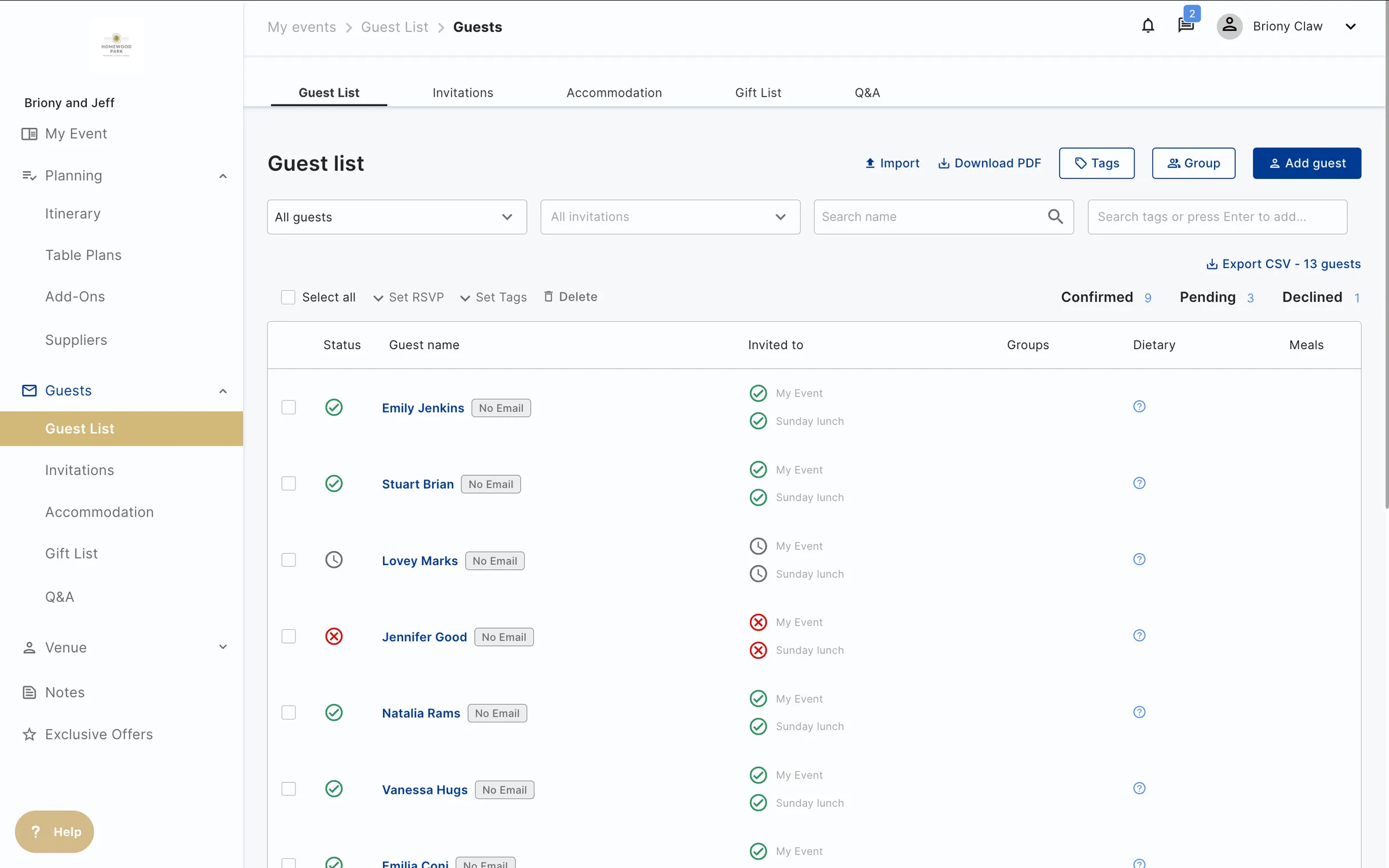
Let hosts manage their guest lists and guests provide their own RSVPs, meal choices and dietary information. Each response is connected to the event, giving your venue team an up-to-date picture for planning, catering and front of house.
RSVPs and dietaries
Hostology guest management connects host-managed guest lists with guest RSVPs, meal choices, dietary requirements and accommodation details. Guests respond through a simple link without needing an account. Their information feeds into the event record, helping the venue prepare accurate guest lists, table plans and catering information.
Guests can RSVP and provide meal choices and dietary information directly, reducing the need for your team to chase and re-enter details.
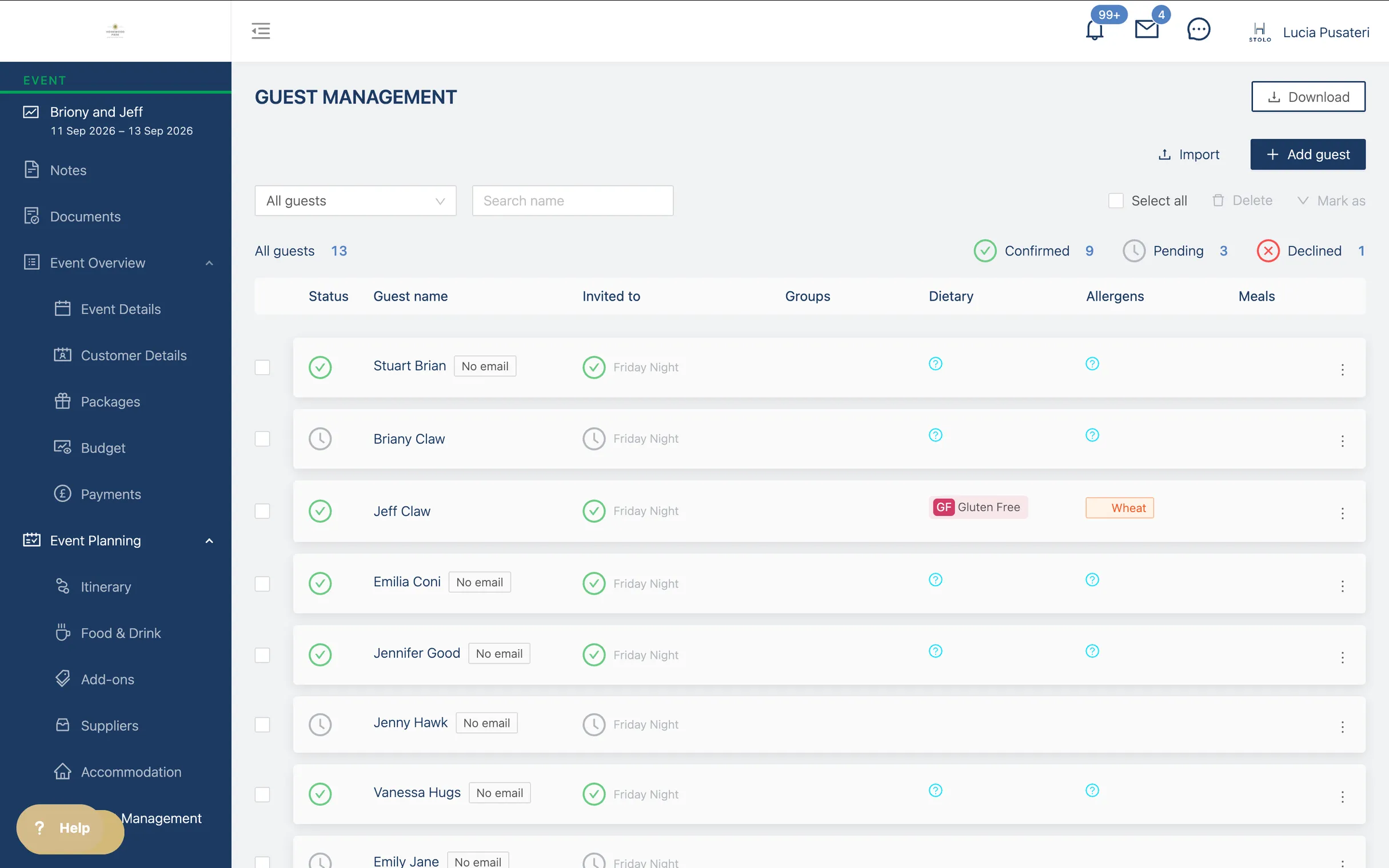
Every meal choice and every allergen is captured against a named guest and a table. Ready for the caterer, without a last-minute spreadsheet on the Thursday.
Drag and drop, or work from the guest list. Table plans update live as RSVPs and dietaries change.
The venue always has the master view. The host gets the parts you choose to share, so they can help without stepping on your team.
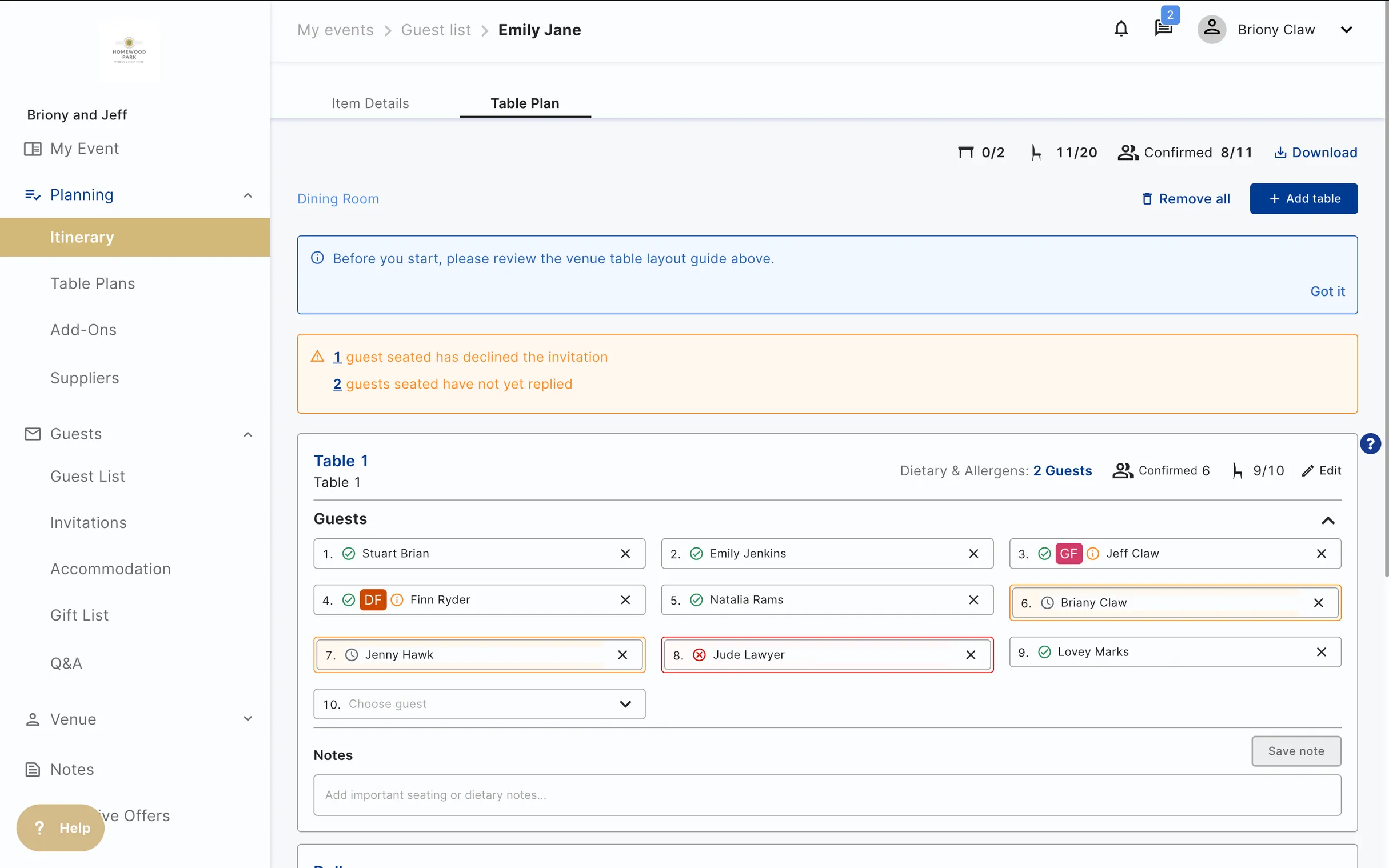
Inside their portal, either in one go or a table at a time.
No login. They accept the invitation, add their meal choice, flag a dietary and choose their room.
The dashboard shows RSVP status, dietaries, meal choices and room assignments per event.
The Thursday-before spreadsheet stops being a Thursday-before spreadsheet.
Each RSVP, meal choice and room booking appears in the venue's plan the moment a guest makes it: the same plan the team, the host and the kitchen are already working from.

Llantilio House, Wales
No. Guests use a link from their invitation. They can RSVP, choose their meal, add a dietary and confirm their room without logging in.
Either. Most venues let the host manage the guest list and table plan, and step in for the parts the host wants help with. The venue always sees the whole picture.
You choose when to lock the list. Before lock, changes flow live. After lock, changes flag with the venue for approval.
Yes. Anywhere you need RSVPs, dietaries and table plans, guest management works the same way. Private parties, corporate dinners, celebrations of life.