

Product updates
New Event Wizard - it's magic
Our new Event Wizard moves you smoothly from the first enquiry to the final invoice - gathering all the details ready to personalise in seconds. The wizard
Read the articleProduct updates · 1 min read
Calling all Venues - we've got more exciting new features to tell you about... Accommodation Glow up For all our venues with accommodation, there's two new

For all our venues with accommodation, there’s two new features to make your process even smoother.
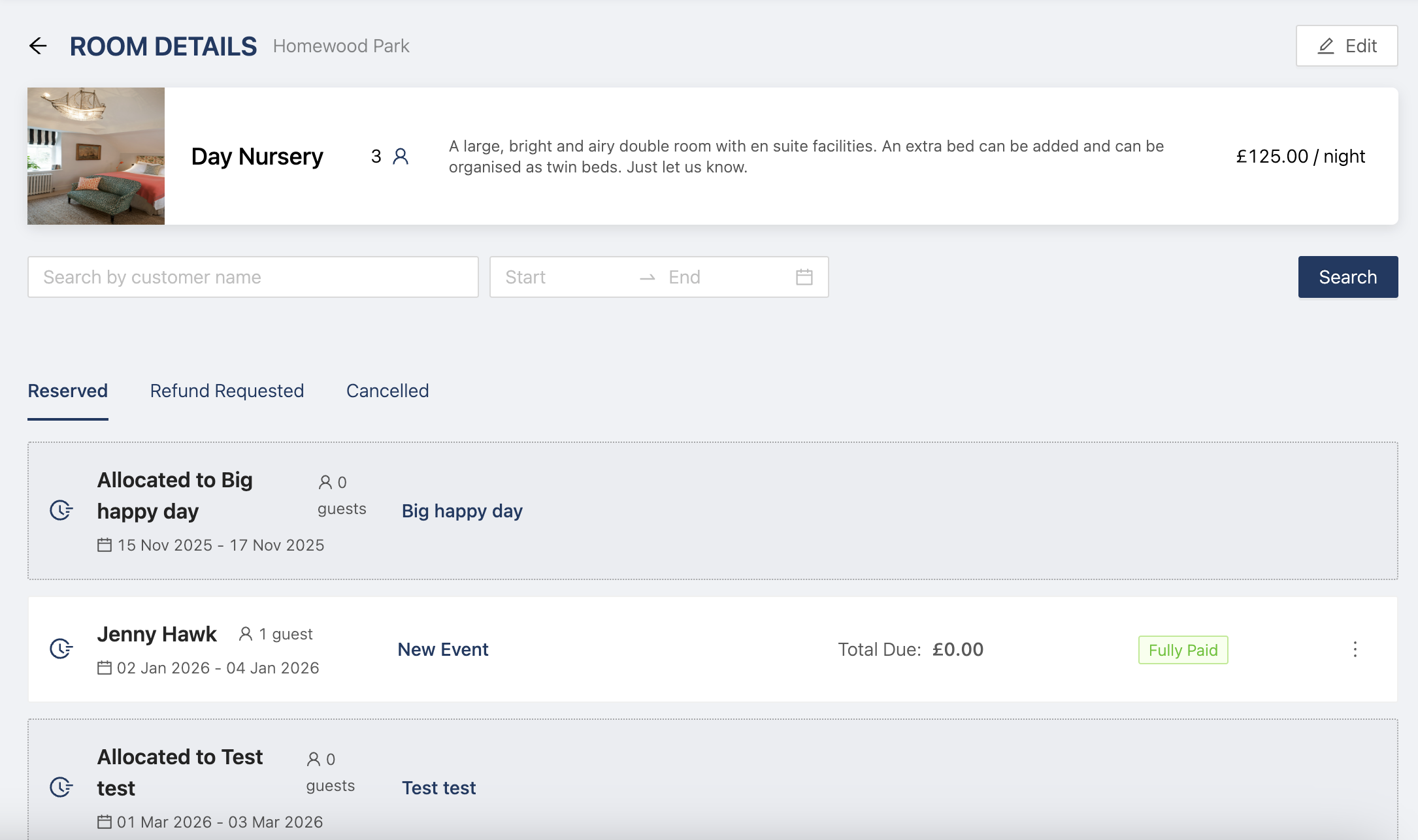
You can now click into any of your rooms and see what events it’s booked for. Simply head to Venue > Billable Items > Accommodation and click on any of your rooms to see all the events it’s assigned to as well as the specific guests in the room.
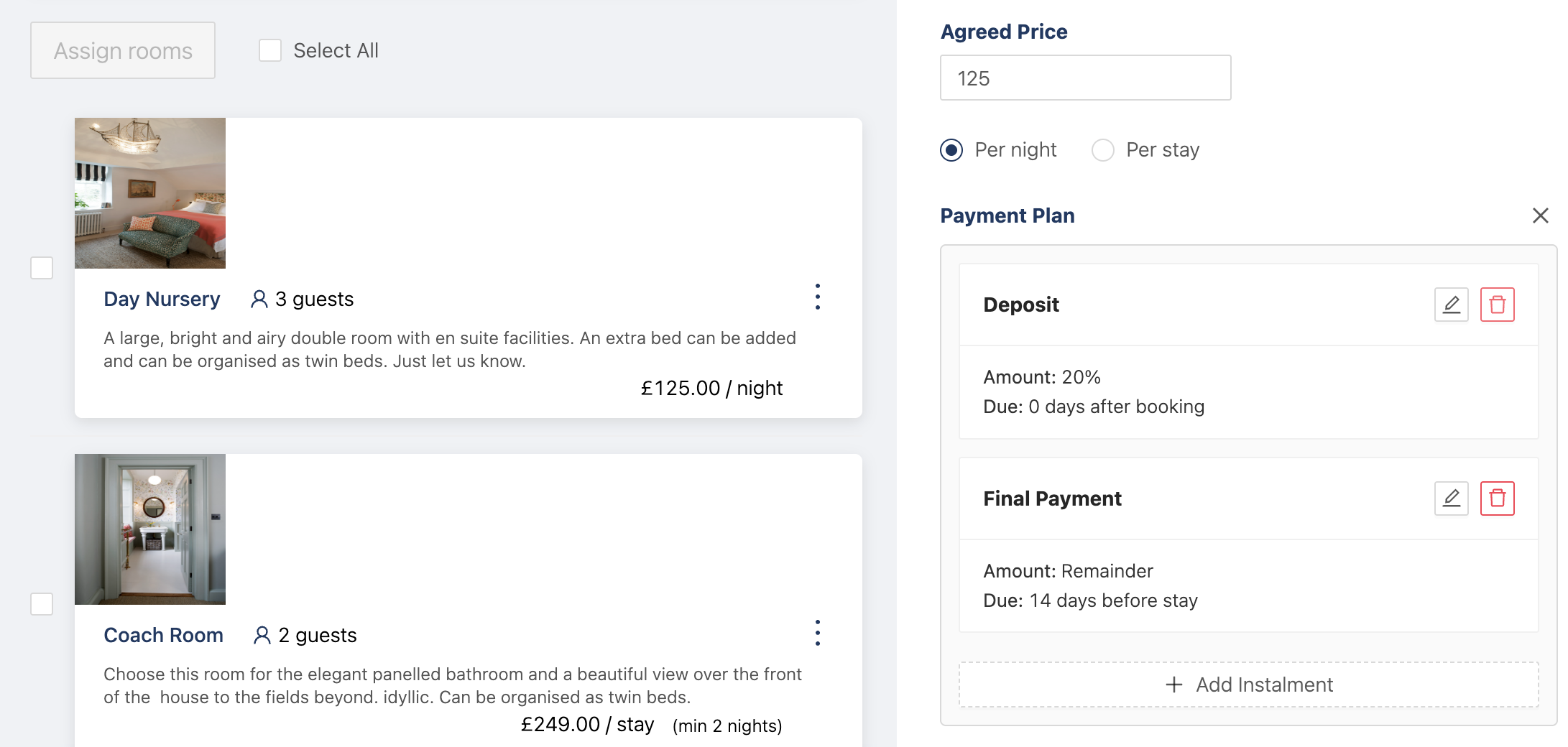
In events, you can now split payments for rooms to ask guests or hosts to pay a deposit for the room and the rest closer to the event date. All customizable for each event when you’re assigning rooms.
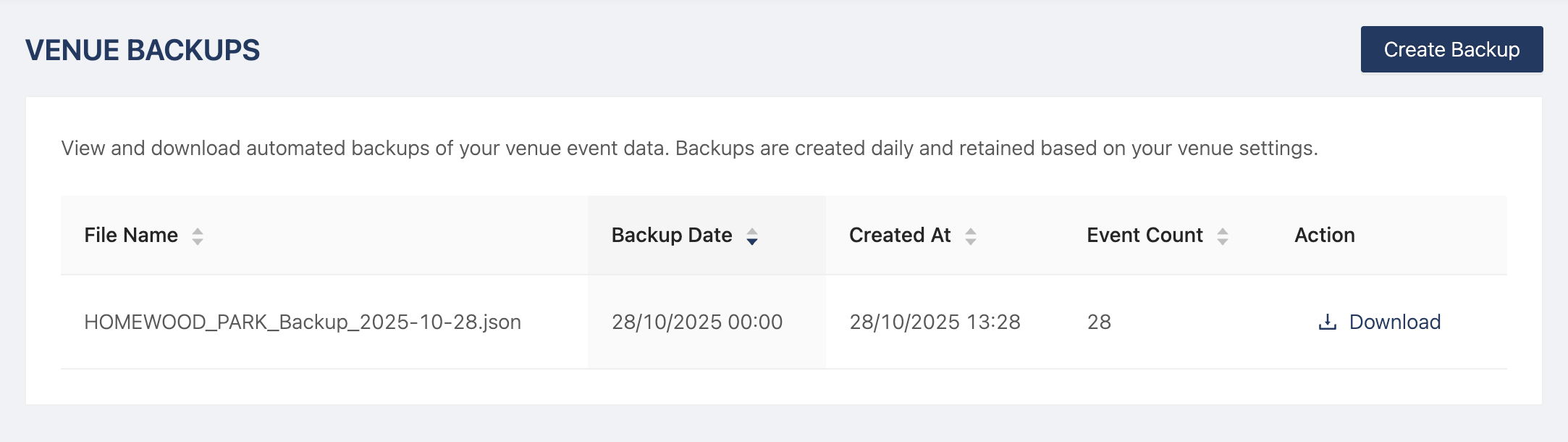
We understand that you might need a copy of your event data - more than the PDF Event plan. So now you can take a back up of your rojects whwnever you need them. All your data, any time.
Just head to Venue > Venue Settings > Backups
And last but not least, add live links to tasks and milestones, so your hosts and couples can easily book in meetings with you or sign documents, from their Dashboard or from an email.
Thanks for reading - more soon!
Product updates
Our new Event Wizard moves you smoothly from the first enquiry to the final invoice - gathering all the details ready to personalise in seconds. The wizard
Read the articleProduct updates
We've just released a new update that seamlessly adds supplements to specific food and drink items within menus, for more flexible pricing and
Read the articleProduct updates
Big news from the Hostology team today - we’ve just released our new AI Enquiry Filter, and it’s a game-changer for busy venue teams. Our latest update
Read the articleOne email a month for wedding and event venue teams. Real ideas from real venues, industry updates, and the odd product release worth telling you about. No spam, unsubscribe any time.
Thanks. You are on the list.