


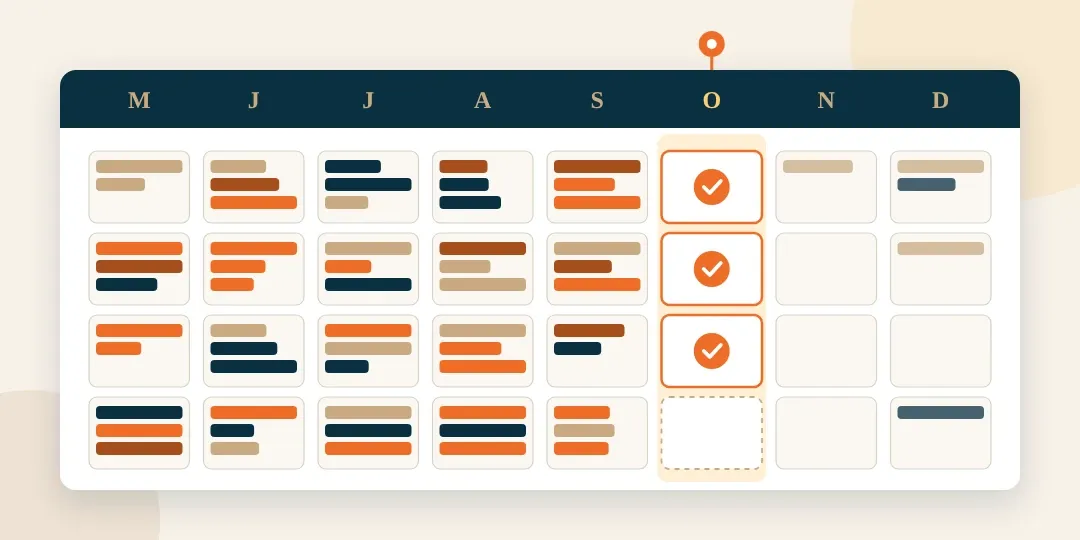
The last big event is over. Your events manager is still checking room payments against a spreadsheet. A new enquiry needs a reply. A host has sent a fresh guest list, and someone needs to check what changed.
The diary is quieter. The admin has carried on.
During peak season, you may have said, “We’ll sort this when things calm down.” Now you have the time and space to act. The best time to change wedding venue management software is during a quieter stretch. Start before the next rush of enquiries, with time for your team to learn.
Hostology is one connected system built especially for UK wedding and event venues. It brings enquiries, event plans, guest details, rooms and payments into one place.
Says Emma, our Founder, “We built Hostology with venue teams. We know how much work goes on around a well-run event. Your team needs to reply to hosts and keep track of rooms and money. When those jobs connect, there is less to piece together by hand. The lull gives you time to fix your systems.”
Ready to upgrade your venue software? Book a 15 minute discovery call.
Start with the jobs that took too much time
Look back at the work your team had to repeat or check during peak season. Use those jobs to decide what your new system needs to do. Take one of those jobs and follow it through.
- Note where the team looks for answers.
- Check how often they enter the same details again.
- Include the tools you pay for and the spreadsheets used to fill the gaps.
Our article on the gaps peak season exposes at a wedding venue looks at this in more depth. For now, choose the jobs you most want to change. Bring them to a demo so you can see how they would work in Hostology.
Get ready before enquiries build
Your team needs time to learn the new system before new enquiries start to build. This is important. Research shows that successful onboarding projects are those where staff have time to adapt and adopt the new system. These are 300% more likely to achieve their goals.
So, during the lull, use this time to ask questions, highlight frustrations and possible roadblocks to new systems, and work through the new process at a calmer pace.
That way, once peak season starts, everyone is already onboard with the new wedding venue system.
| Stage in your venue year | Main demand | Best use of the time |
|---|---|---|
| Peak season | Running events and keeping plans up to date | Note the jobs that cause delays |
| The lull | Making changes while there is more time | Set up and learn the new system |
| The enquiry rush | Replying to leads and winning bookings | Use the process the team has practised |
So, choose a window that accommodates this kind of upgrade, that leaves time to practise as well as set up. That helps the new system become part of daily work before you need it at full pace.
Our guide to running an event without the scramble helps with the work closer to event day.
Give each enquiry a clear next step
New business can wait too long when it sits in the same inbox as every other task. After a day on site, your events manager has to find each message. They then need to check whether a colleague has replied.
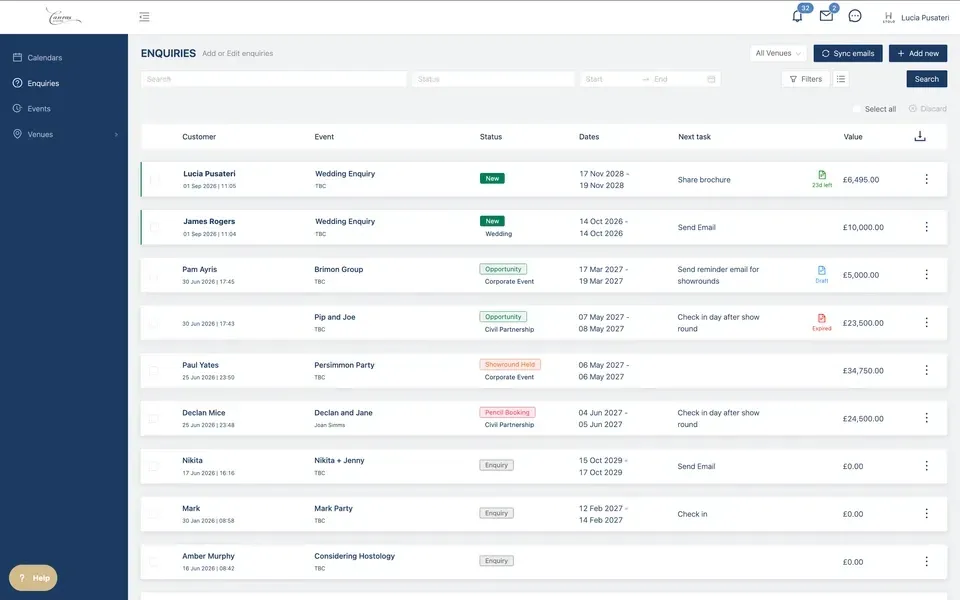
Hostology brings enquiries into a pipeline.
You can see the stage each lead has reached and the next task. Email templates and workflows help your team reply and follow up.
See our wedding venue CRM and enquiry tools for the detail.
The aim is to give the team more time for productive conversations. A prompt reply helps a host make plans. Your team still brings the warmth and care that help someone choose you.
Keep the booking and event plan together
A confirmed booking brings more revenue, and more work. The team needs to record what was agreed and prepare for the event. If they copy those details into several tools, every change creates more places to check.
Hostology brings quotes, contracts, and event plans into the same platform.
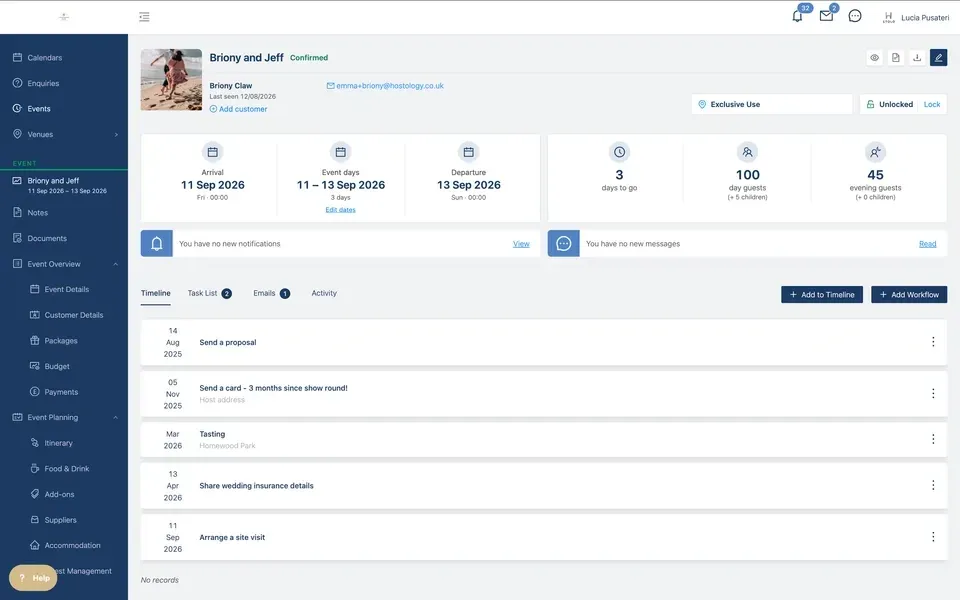
Hosts sign contracts online. Your team manages the booking and its plans in one connected place.
This also helps when a colleague takes over. They find the details they need without searching through someone else’s emails. There’s less to explain in a handover and less need to ask the owner for missing information.
Learn how to create events from a template for one live event plan, here.
Give guest updates somewhere to go
Guest lists change as replies come in. A host sends a draft, then a new version. Meal choices arrive, and a guest adds a dietary need. When it all comes by email, your admin climbs sky high.
In Hostology, hosts manage guest lists, table plans, and dietary details through their portal.
Guests can reply through the event microsite. Your venue sees the information in one place.
The team can still guide hosts and explain what is needed. The change is in how the details reach you. Each update has a place to go, without becoming another email to read and enter by hand.
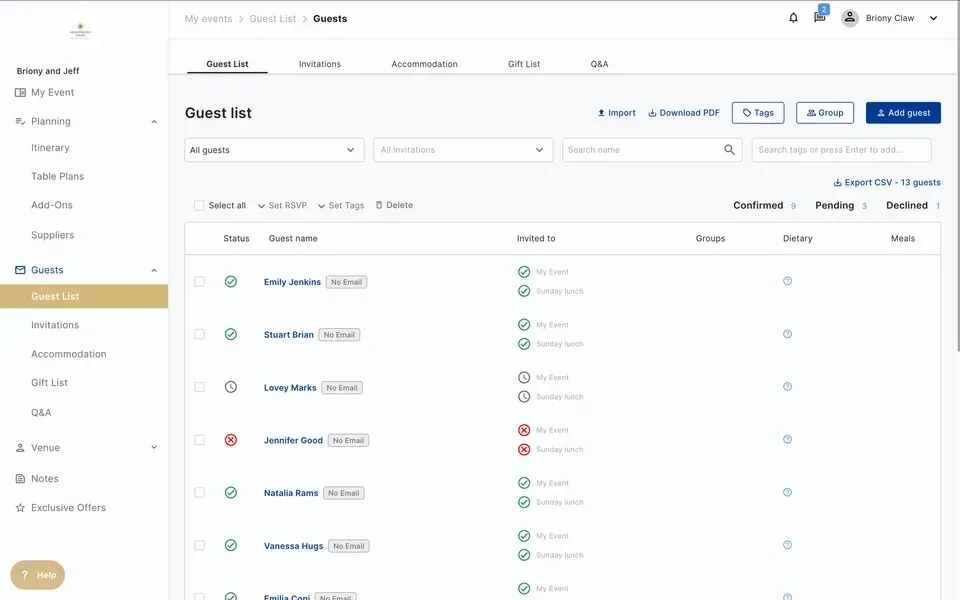
That leaves more time for work that needs your team’s care. They can help a host make a choice or plan for a guest’s needs. They spend less time finding which version of a list to use.
See how guest management takes care of itself, here.
Bring rooms and guest payments into the event
Rooms can create a whole extra set of jobs. A host wants guests in certain rooms. Someone asks for another night. A room is held but unpaid, and the team needs to check who should pay.
When room records sit separate from the event, one change creates a cascading series of events. The guest list is in one place. The room list is in another. Payments need to be matched to both.
Hostology connects accommodation to the event.
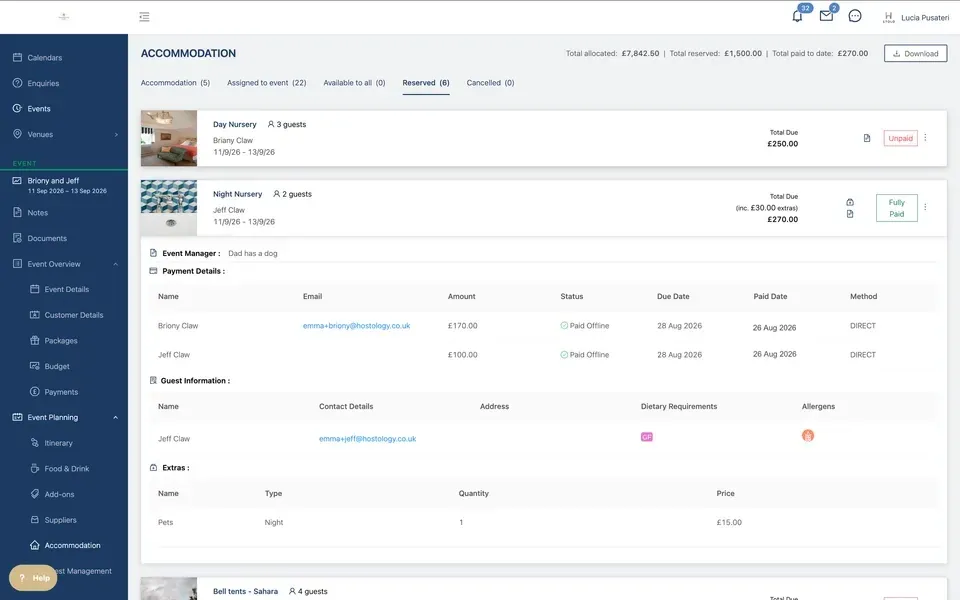
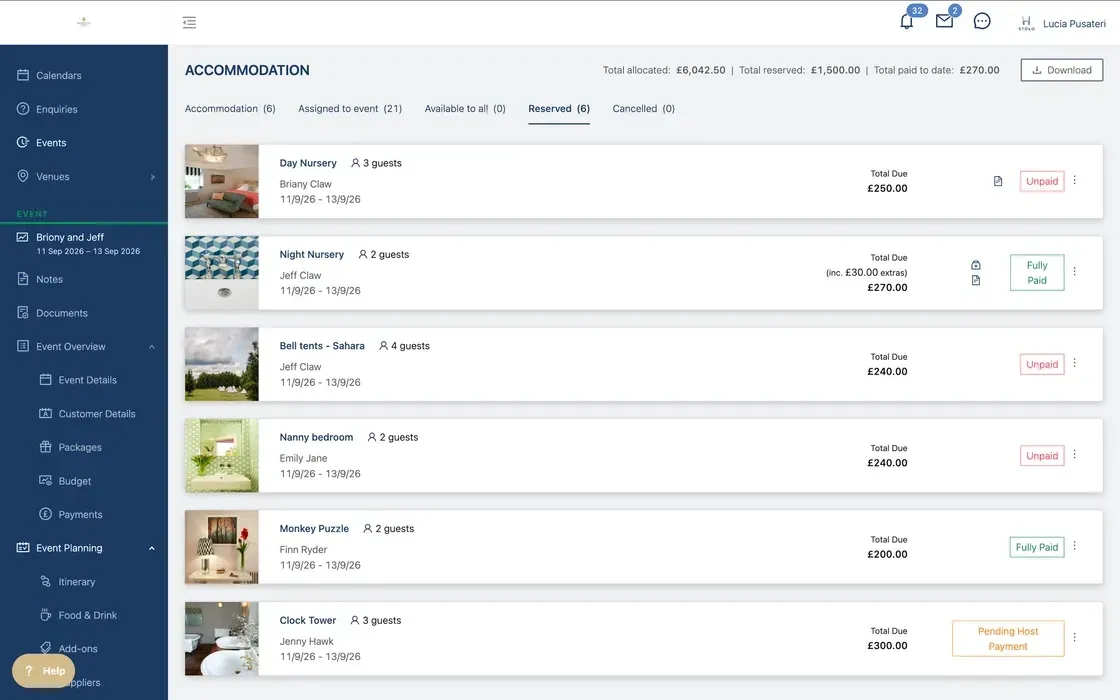
You set up your rooms with prices and extras, then assign them to the booking. Hosts can allocate rooms. Guests can book and pay for their own stay.
Your team can see who is staying and the payment status in the platform. The money goes to the venue. You do not have to rely on the host to collect it from guests and pass it on.
For an exclusive-use venue with rooms, this is a key part of choosing Hostology. The event and the stay belong together. Managing them in the same place gives the team a clearer view of both.
Explore our accommodation management for wedding venues. Ask us to show your room setup in a demo. Follow the steps a guest takes to book and pay, then check what your team sees.
See what is due and what has been paid
Matching bank records to a separate spreadsheet takes time. It also interrupts other work when a colleague needs help checking a payment.
Hostology links deposits, balances, and payment plans to the booking.
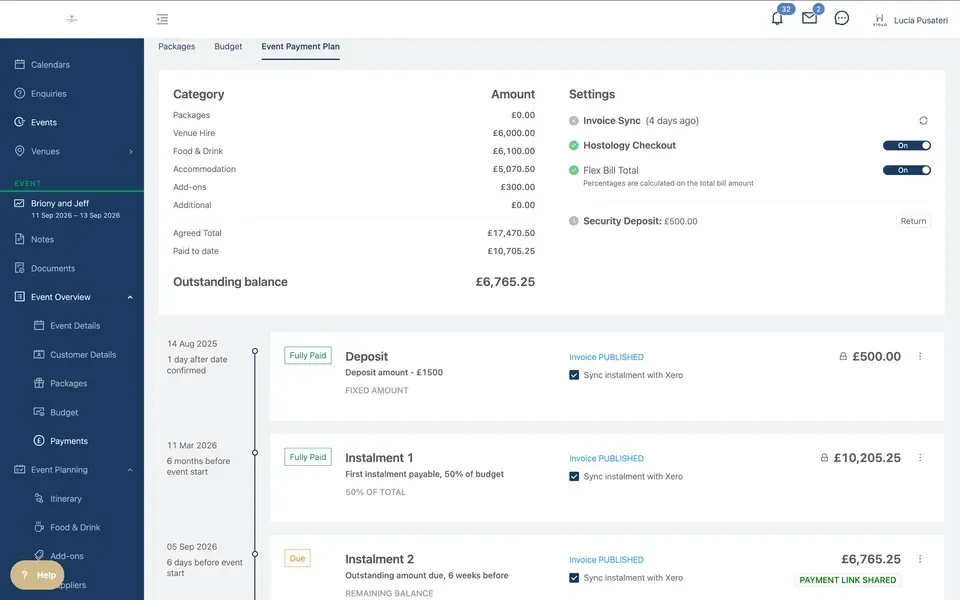
Payments go into your venue’s Stripe account. The Xero link supports invoicing, helping you keep the event and its money records connected.
The Ridgeway Barns described the Xero link as saving “countless dull hours of invoicing and receipting clients”.
Read about our Xero and Stripe integrations and venue payment tools to see how they work.
This is part of the wider change. Your team has less to find, copy, and check across separate tools.
Do more with the team you have
A fuller diary shouldn’t burden your team with more admin. Shared records and repeatable processes help your team handle more work. They also make it easier for someone else to step in.
Llantilio House grew from seven to around 58 events a year. Its core full-time team stayed at three, with seasonal and part-time help during busier periods. The team brought processes into Hostology gradually and made rooms an early focus.
Read how Llantilio House developed its operation with Hostology for the full story. It shows how a small core team can gain the structure to manage growth.
For your venue, the gain may be more time to reply to leads. It may be fewer routine questions reaching you on days off. Choose the work you want to improve, so you have a clear way to judge the change.
It’s easy to switch venue management software, with Hostology
It’s a straightforward process to move to Hostology, with hands-on support to help you through it. You get up to 30 days of guided onboarding by people who understand venue work. Templates are already in place, so you have a starting point to adapt.
Your subscription starts once you are onboarded and running. Visit our pricing page for current plans and onboarding charges. You can review the terms before you start, without paying a subscription while you set up.
Three steps to get started
- Book a call. Bring a job that takes too much time. We can show how it works in Hostology and discuss your venue’s needs.
- Set up with our help. Adapt the templates and prepare your records. Agree how to handle existing bookings during the change.
- Practise and go live. Work through an enquiry, booking and payment. Try the room booking process too.
Ask us for demo-site access if you would like to explore before you commit. If you already use Hostology, look at the jobs still done elsewhere. Bringing rooms or contracts into the platform may be your next useful step.
Use the time you have now. Book a demo today.
The lull gives you space to change how you handle the jobs that took too much time in peak season. Start with the one your team is most tired of checking or chasing. See how it could work in Hostology, then give the change a place in the diary.
Learning now means your team can settle in before new enquiries arrive. When the venue gets busy again, they can spend more of their day with the people who chose you.
Book a call with Hostology and get ready before peak season.
A few things to know before you switch wedding venue software
When is the right time to change wedding venue software?
Choose a quieter stretch before your next rush of enquiries. Leave time for setup and practice. The wedding venue off-season still includes meetings and events, so use your own diary to find a window. Aim to have the team at ease with the system before work builds again.
How long does it take to get set up on Hostology?
Hostology gives you up to 30 days of guided onboarding. Use that time to adapt the setup and learn with our team. Discuss your records, existing bookings and rooms at the start. We can then agree what needs doing and help you plan when to go live.
What should wedding venue software cover?
Look for tools that connect enquiries, quotes, contracts, event plans and payments. Guest details should have a clear place too. If you have rooms, check how stays and guest payments link to the event. Ask to see a full booking so you can spot work still done elsewhere.
How do event rooms and guest payments connect in Hostology?
Hostology lets you set up rooms with prices and extras, linked to the event. Hosts can allocate rooms, and guests can book and pay for their stay. Your team sees who is staying and the payment status in the same platform as the wider event details.
When does my Hostology subscription start?
Under Hostology's onboarding terms, your subscription starts once you are onboarded and running. You have up to 30 days of guided setup. Check the pricing page for current plans and onboarding charges. Talk through your venue's needs with us, so the terms are clear before you start.
What support does my team get during onboarding?
You get guided onboarding, with templates to adapt and sessions to help you learn. We support you until your venue is ready to launch. Bring questions about your bookings, rooms and team roles. That helps us work with you on a setup that fits the way your venue runs.